The Root of the Problem

The ISP Modem Bottleneck.

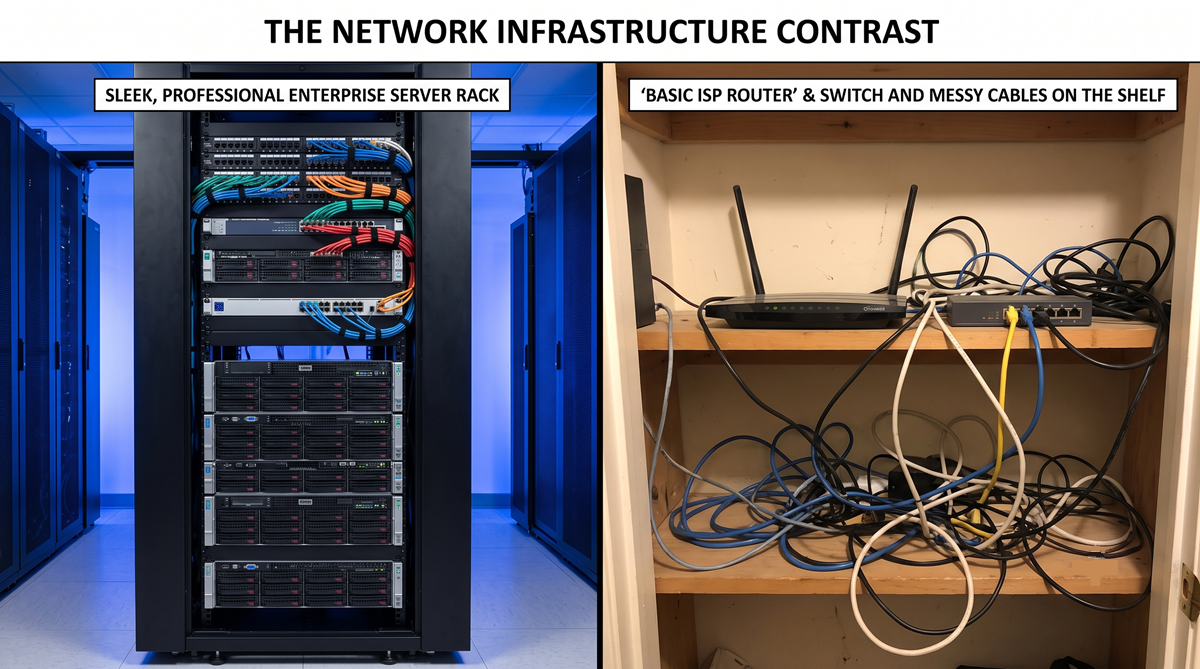
When purchasing a commercial internet package, ISPs typically provide a basic modem/router combination unit. While functional for light use, these devices are rarely equipped with the processing power required to manage a busy commercial environment.

Forcing a basic router to concurrently handle dozens of employees, VoIP phone traffic, guest Wi-Fi, and high-definition security cameras often leads to processor exhaustion. This manifests as unexplained network crashes, dropped calls, and sluggish speeds, regardless of the bandwidth purchased from the ISP.

Infrastructure Separation:

Best practices dictate bridging the ISP modem (disabling its routing functions) and placing a dedicated, enterprise-grade firewall and core switch behind it to handle the traffic load efficiently.

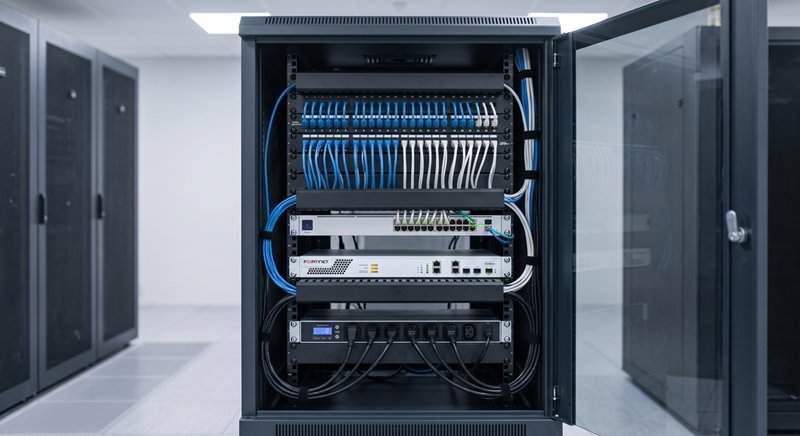
Enterprise Network Rack vs ISP Modem
Logical Architecture

The Network Foundation.

A well-architected network separates routing, security, and internal switching across dedicated hardware to ensure absolute stability under heavy load.

  • The Router & Firewall: The router connects your internal network to the outside internet, while the firewall acts as the security checkpoint, inspecting incoming and outgoing traffic to block malicious activity and enforce corporate data policies.
  • The Core Switch: If the firewall is the front door, the switch is the central hallway. It connects all internal devices (computers, servers, cameras) together, allowing them to share data locally at gigabit or multi-gigabit speeds without burdening the internet connection.
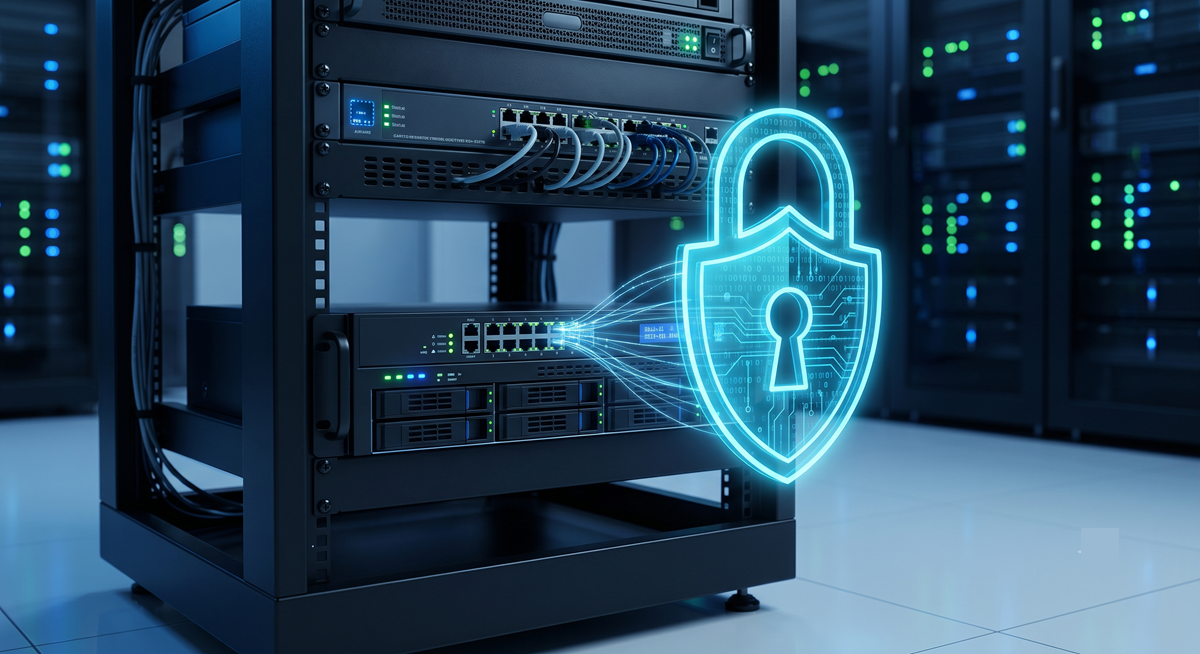
Enterprise Network Switch and Firewall
Cybersecurity

Segmenting Your Traffic.

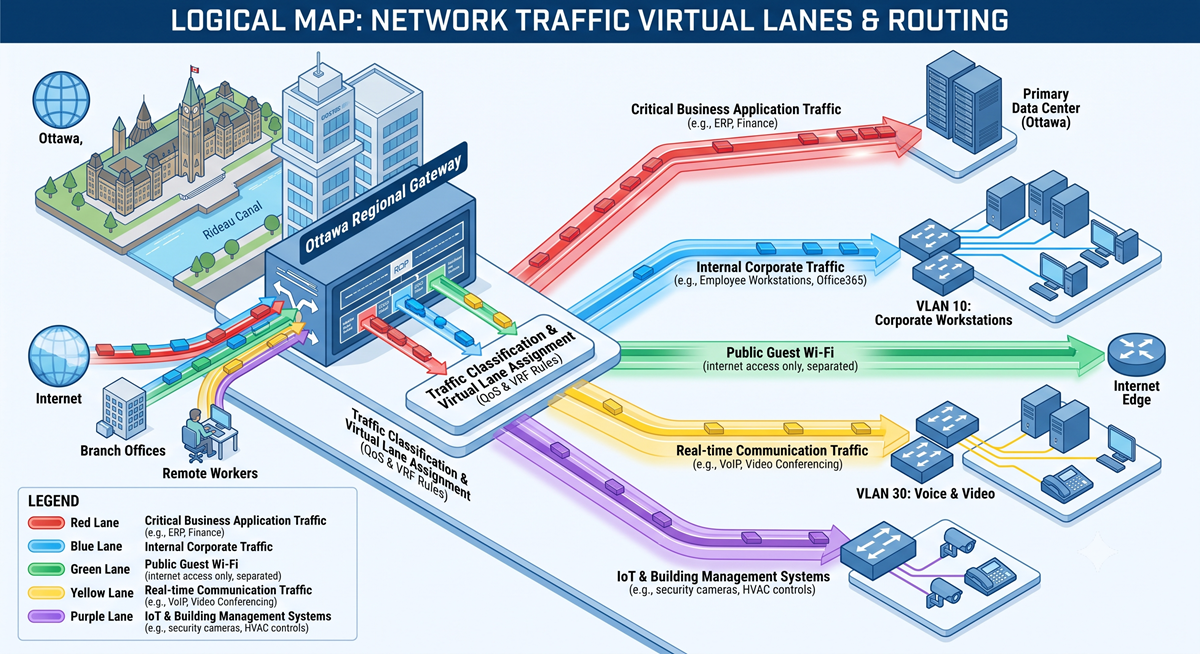
On a standard "flat" network, any connected device can theoretically communicate with any other device. This means a compromised mobile phone on the guest Wi-Fi could potentially reach an HR server or a security camera interface.

To mitigate this, commercial environments utilize VLANs (Virtual Local Area Networks). We logically slice the physical network into isolated, secure lanes. Guest Wi-Fi, Security Cameras, and Corporate Data are placed on completely separate VLANs. If a device on the guest network is infected with malware, the logical separation prevents it from spreading to corporate hardware.

VLAN Network Segmentation Diagram
Physical Infrastructure

Structured Copper Cabling.

The physical cables hidden in the walls dictate the ultimate speed of the network. Proper structured cabling adheres to strict industry standards to prevent data loss and simplify maintenance.

  • Dedicated Drops vs. Daisy-Chaining: Running a single cable to a room and plugging in a small unmanaged switch to connect multiple computers creates a bottleneck (oversubscription) and a single point of failure. Best practice requires a dedicated "home-run" cable from the main server room to every individual device.
  • Solid vs. Stranded Cable: In-wall infrastructure utilizes solid copper wire for maximum signal retention over distances. Stranded copper is highly flexible but experiences more signal loss; it is strictly used for short patch cables connecting devices to the wall or switch.
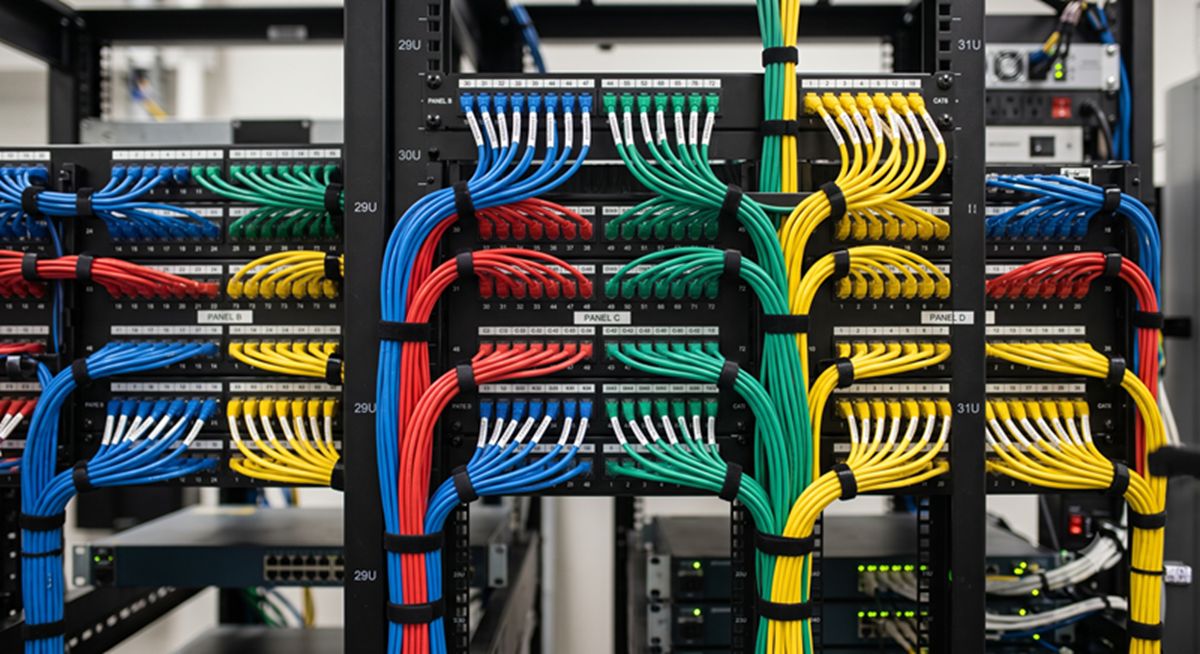
  • Patch Panels: Terminating wall cables directly into a network switch creates a rigid, unmanageable mess. Cables must first be terminated into a fixed patch panel to protect the delicate in-wall wiring, allowing IT personnel to neatly patch connections using short, replaceable cables.
Organized Network Patch Panel
High-Bandwidth Data

Fiber Optic Integration.

Standard copper cabling is limited to 100 meters (328 feet). For data transmission beyond this limit, or for high-capacity backbone connections between server rooms, fiber optic cabling is required. Fiber transmits data using light, rendering it entirely immune to electrical interference.

  • Single-Mode vs. Multi-Mode: Single-mode fiber has a microscopic core that transmits a single laser beam, capable of carrying data across many kilometers (ideal for connecting separate buildings). Multi-mode fiber has a wider core allowing multiple light modes to travel simultaneously; it is highly cost-effective for high-bandwidth connections within the same building.
  • Simplex vs. Duplex: Fiber communication typically requires two strands—one to transmit (TX) and one to receive (RX), known as Duplex. Simplex uses a single strand for one-way communication, or uses specialized bi-directional transceivers to send and receive on different light wavelengths over one strand.
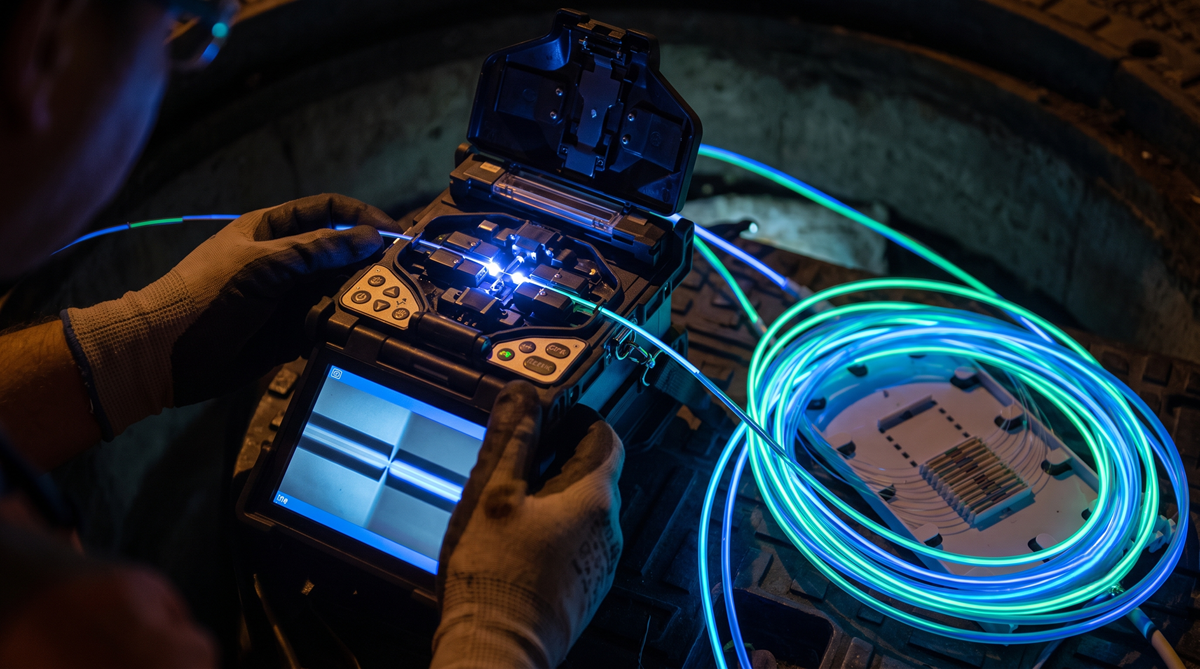
  • Fusion Splicing: To join two fiber optic cables or attach end connectors, we utilize fusion splicing. This process precisely aligns the microscopic glass cores and melts them together using an electric arc, resulting in a near-zero loss connection.
Fiber Optic Fusion Splicing
Infrastructure Resilience

Managed Rack Power.

Network reliability extends beyond data cables; it requires clean, manageable power distribution. When a modem or switch becomes unresponsive, a physical reboot is often necessary.

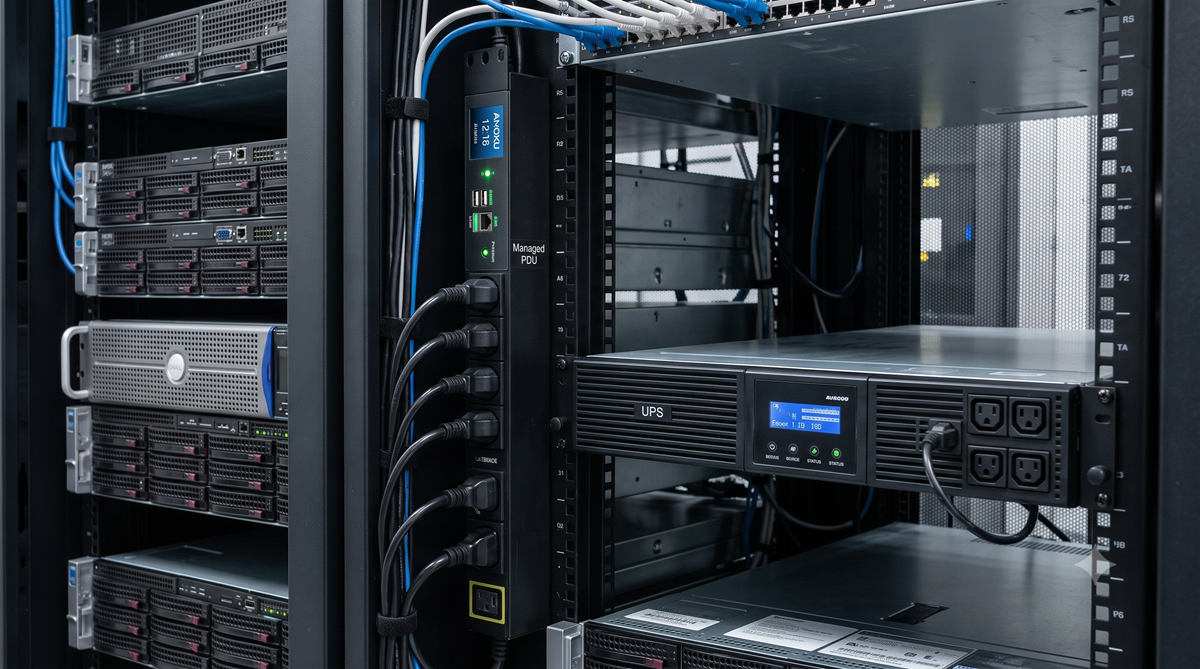
Rather than sending a technician on-site or asking staff to locate the server room to unplug a device, commercial racks utilize Managed Power Distribution Units (PDUs). These intelligent power strips connect to the network, allowing IT administrators to securely log in remotely and toggle the power to specific individual outlets. This enables instant remote reboots, minimizing downtime and support costs.

Managed Network Power Distribution Unit
Wireless Infrastructure

Engineered Wi-Fi Coverage.

Deploying wireless access points without an underlying strategy frequently results in overlapping channel interference and coverage gaps. We approach wireless networks analytically to ensure consistent performance.

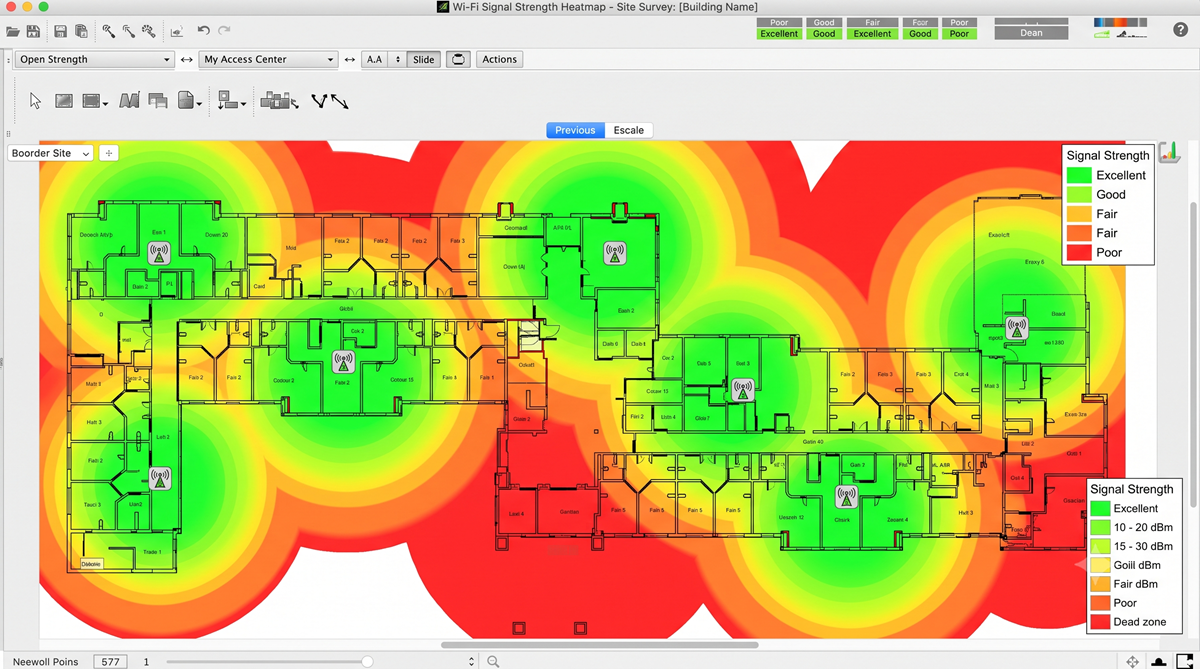
  • Predictive Heatmapping: By analyzing a facility's floorplan and construction materials, acoustic software accurately maps RF (Radio Frequency) propagation to determine the exact number and placement of access points required before installation begins.
  • Seamless Roaming (802.11r): In a properly configured environment, an employee can walk across a large warehouse while on a VoIP call, and the network will actively transition their device to the nearest access point without any interruption in service or dropped packets.
Predictive Wi-Fi Heatmap Floorplan

Common Network Inquiries

Objective answers to frequently encountered IT questions.

This is commonly referred to as the "sticky client" issue. Standard mobile devices tend to hold onto a weak Wi-Fi signal from a distant access point until the connection drops entirely, rather than switching to a stronger, closer access point. Enterprise wireless controllers mitigate this by actively monitoring client signal strength and facilitating a smooth "hand-off" to the nearest access point.

Slower-than-expected wired speeds usually indicate a hardware bottleneck within the local area network. This can occur if a legacy network switch is only rated for 10/100 Mbps, capping the throughput before it reaches the computer. Additionally, physically damaged copper cabling, or the use of older Cat5 cable (which is not rated for Gigabit speeds), will prevent the hardware from utilizing the full bandwidth provided by the ISP.

Conceptually, a Router (or Firewall) acts as the gateway connecting your internal network to the outside internet, managing external traffic and security. A Switch acts as the internal distribution layer, allowing all local devices (computers, printers, cameras) to connect and share data with one another efficiently within the building.

High-definition IP cameras generate continuous, heavy data traffic. If they share the same unmanaged broadcast domain as office computers, they can saturate the network bandwidth, causing slower file transfers and dropped VoIP calls. Best practices require placing surveillance systems on an isolated Virtual LAN (VLAN) to ensure performance and maintain cybersecurity boundaries.

While Wi-Fi 6 (802.11ax) offers higher theoretical top speeds, its primary advantage is handling device density. Wi-Fi 5 communicates with devices sequentially, whereas Wi-Fi 6 uses OFDMA technology to transmit data to multiple devices simultaneously. In environments with numerous connected phones, laptops, and smart devices, Wi-Fi 6 significantly reduces network latency.

Warehouses present unique RF challenges due to metal racking and dense inventory absorbing signals. Standard omni-directional ceiling antennas often result in poor coverage in aisles. The proper approach involves deploying specialized directional access points aimed down specific aisles, often supported by a fiber-optic backbone to bridge the physical distances involved.

A captive portal is a customized web page that users are directed to before they are granted access to a public Wi-Fi network. It is commonly used in waiting rooms or retail spaces to prompt guests to accept terms of service or acceptable use policies. This step helps limit liability for the business owner regarding the network's usage.

Ensure Your Infrastructure Meets Your Demands.

Reach out to discuss a comprehensive audit of your physical cabling, network hardware, and wireless coverage.

Request a Network Audit